Puente
A self-hosted remote desktop app, like AnyDesk, that runs on its own servers for the SinBuque support team.
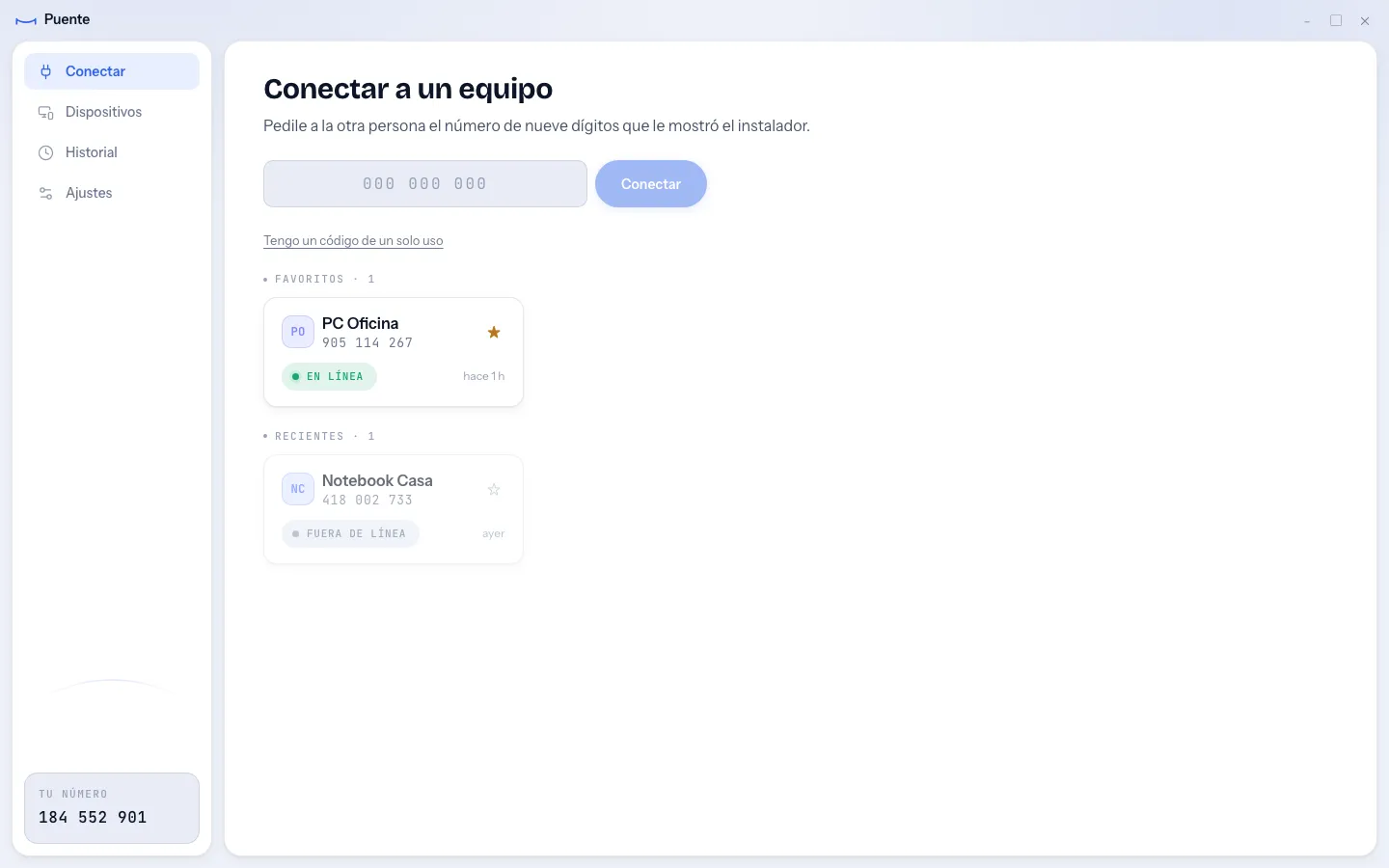
The team needed to reach office machines that stay on all day, without paying for a commercial tool or routing sessions through someone else's servers. The server that pairs the two machines had to be treated as untrusted. And the person on the other end is often not technical, so the security checks had to be clear on screen.
Three decisions that shaped it.
- 01
A written contract before any code
Why. PROTOCOL.md defines every message, the threat model and the real order of a connection. Schemas and examples are generated from it, and CI checks they stay in sync. The viewer, the host and the server were built in parallel against the same document. New features arrive as capabilities, so nothing old breaks.
Trade-off. The core is frozen, so a real change to it means a coordinated pass across all three parts. Change requests wait in a file until then.
- 02
The viewer draws trust, it does not decide it
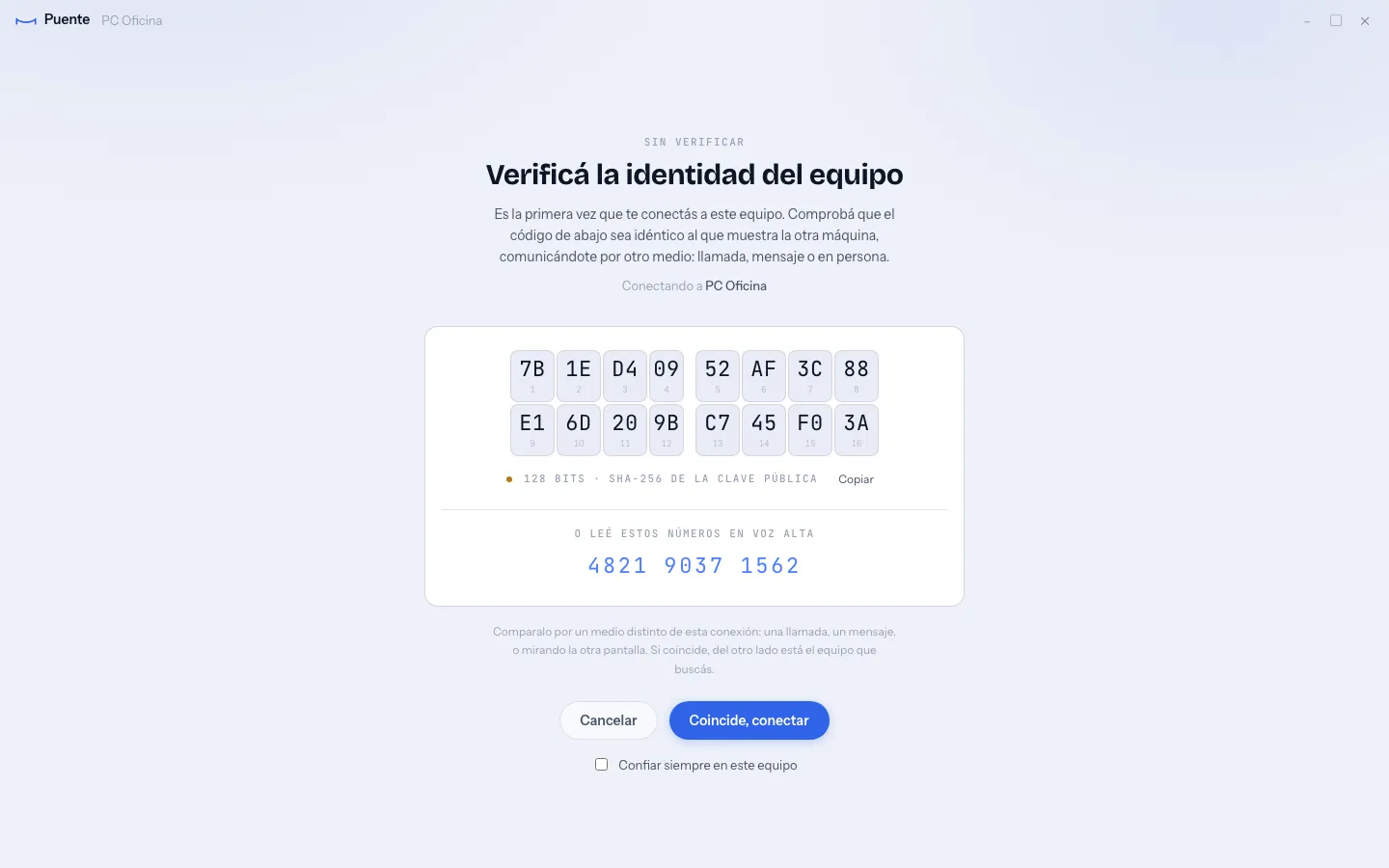
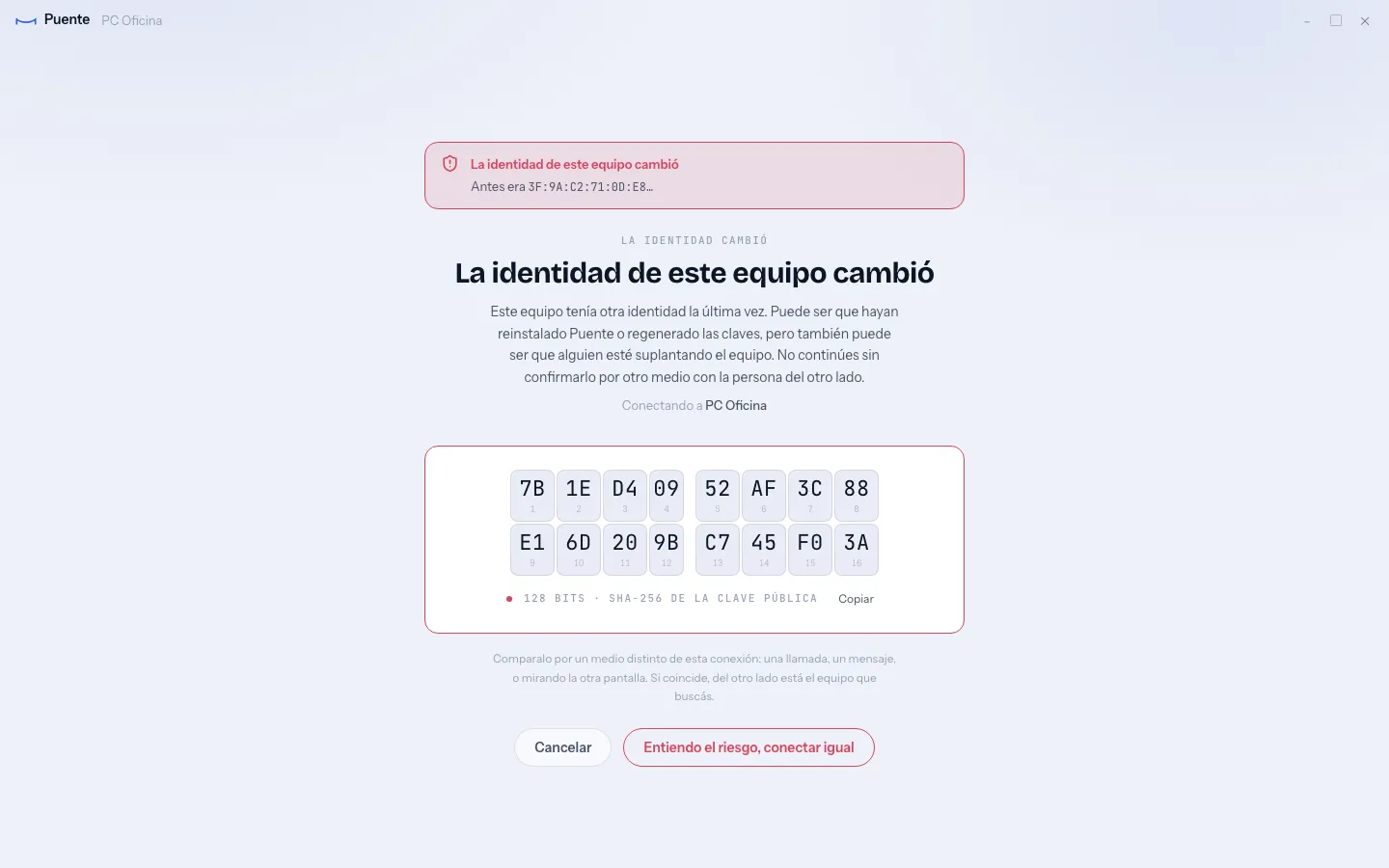
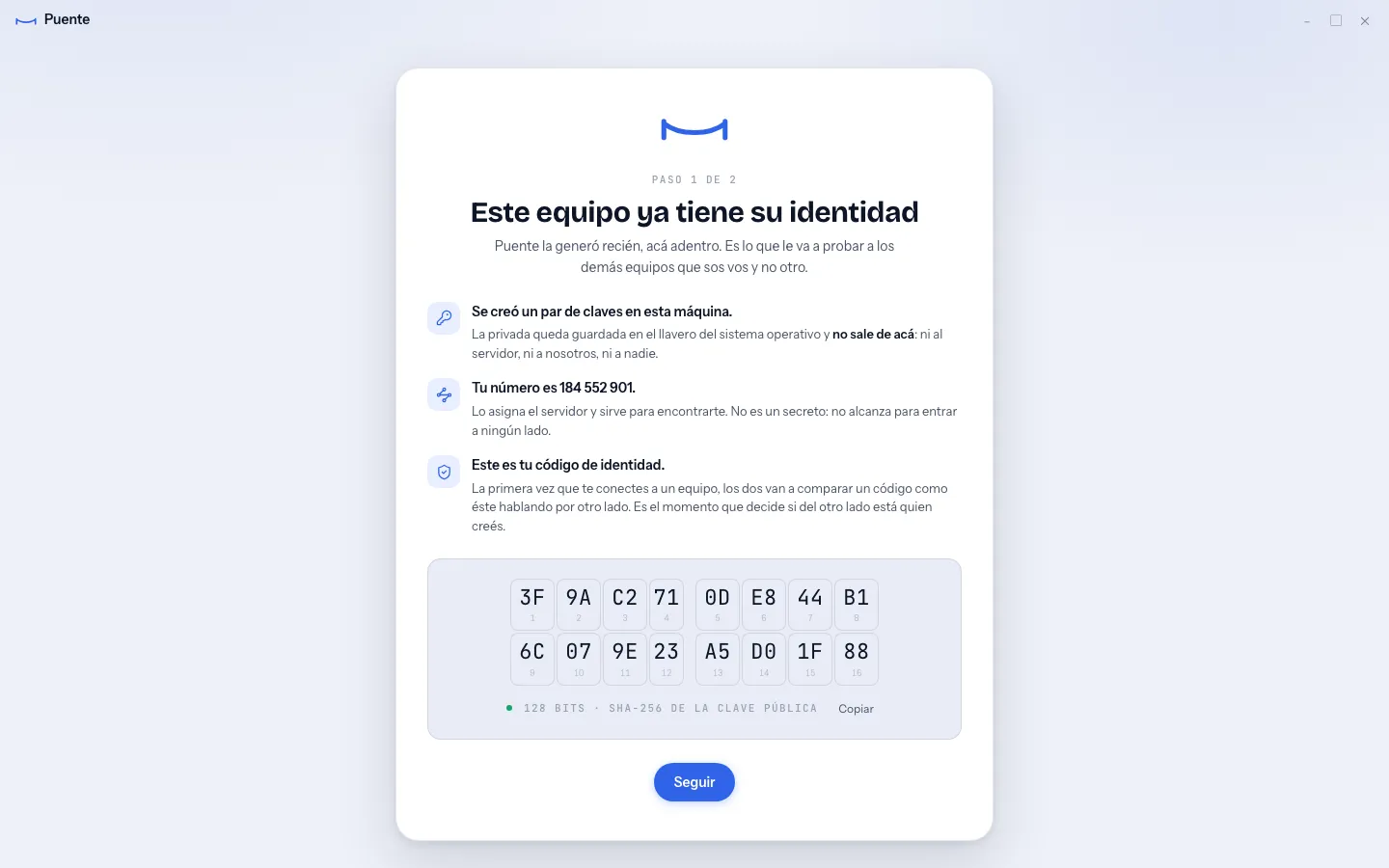
Why. The device ID comes from the server, so it proves nothing. The fingerprint check is the only real defense, and the screen treats it that way: 16 numbered cells you can read aloud over the phone, and a red state when a known machine shows a new key. The Rust core makes the trust decision. The React side only renders it, because code in a webview can be edited live.
Trade-off. Every screen depends on a Tauri command. A test reads both sides and fails if the front invokes a command the Rust core never registered, which would otherwise only show up as a dead button.
- 03
Honest about what is encrypted
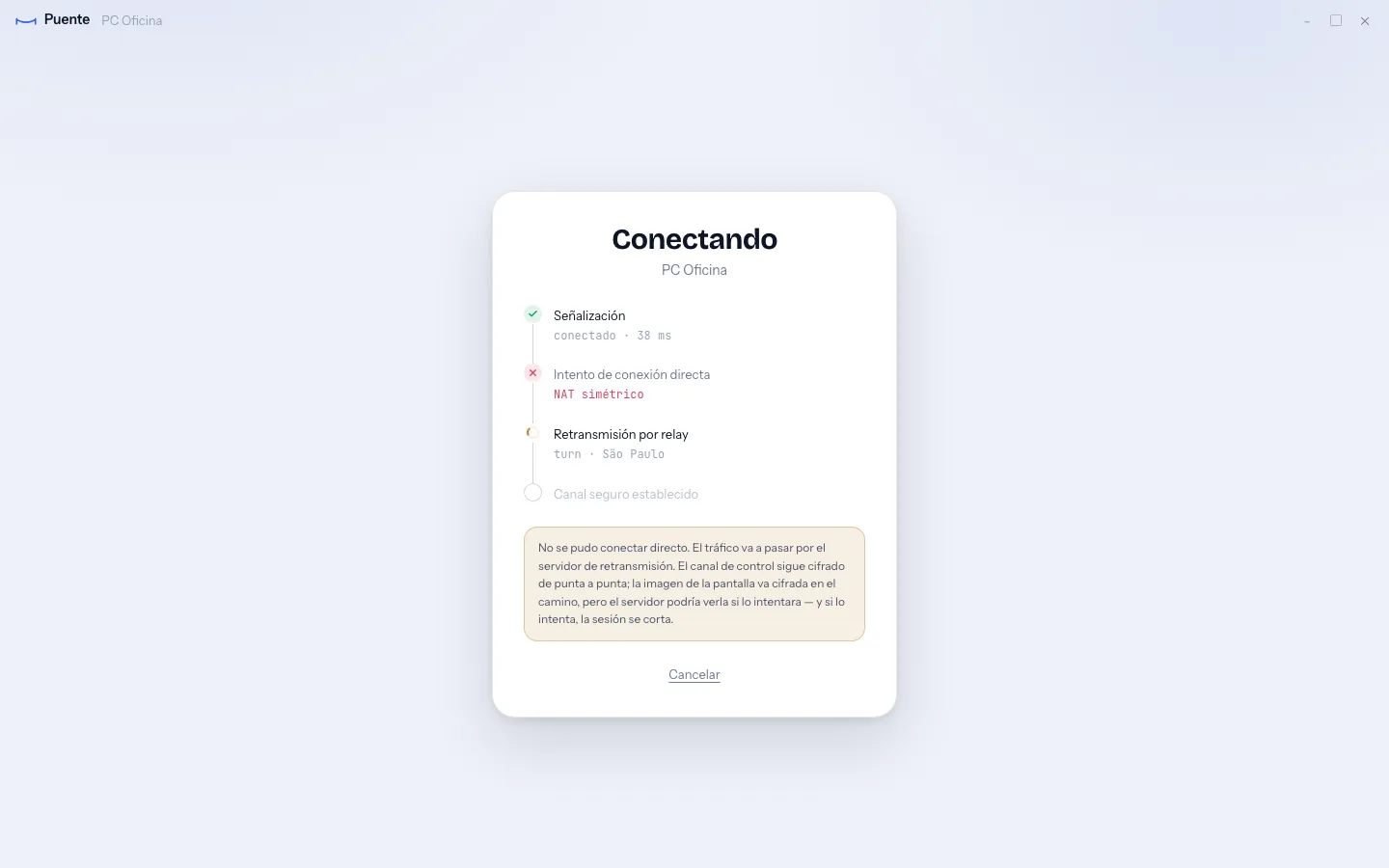
Why. Input, terminal, files and clipboard travel end to end encrypted. Video uses WebRTC's own encryption, which a hostile server could in theory intercept. So the DTLS fingerprints go into the signed handshake: if the server tampers with the connection, the session stops before the first frame. The connecting screen says this in plain words when the session falls back to the relay.
Trade-off. The video is not end to end encrypted, and the product never claims it is. Doing that needs insertable streams on both sides, which is a project of its own.
Puente
A self-hosted remote desktop app, like AnyDesk, that runs on its own servers for the SinBuque support team.
- Role
- Design and full build
- Stack
- Tauri v2, React, TypeScript, Rust, WebRTC, Go, coturn
The team needed to reach office machines that stay on all day, without paying for a commercial tool or routing sessions through someone else's servers. The server that pairs the two machines had to be treated as untrusted. And the person on the other end is often not technical, so the security checks had to be clear on screen.
Three decisions that shaped it.
A written contract before any code
Why. PROTOCOL.md defines every message, the threat model and the real order of a connection. Schemas and examples are generated from it, and CI checks they stay in sync. The viewer, the host and the server were built in parallel against the same document. New features arrive as capabilities, so nothing old breaks.
Trade-off. The core is frozen, so a real change to it means a coordinated pass across all three parts. Change requests wait in a file until then.
The viewer draws trust, it does not decide it
Why. The device ID comes from the server, so it proves nothing. The fingerprint check is the only real defense, and the screen treats it that way: 16 numbered cells you can read aloud over the phone, and a red state when a known machine shows a new key. The Rust core makes the trust decision. The React side only renders it, because code in a webview can be edited live.
Trade-off. Every screen depends on a Tauri command. A test reads both sides and fails if the front invokes a command the Rust core never registered, which would otherwise only show up as a dead button.
Honest about what is encrypted
Why. Input, terminal, files and clipboard travel end to end encrypted. Video uses WebRTC's own encryption, which a hostile server could in theory intercept. So the DTLS fingerprints go into the signed handshake: if the server tampers with the connection, the session stops before the first frame. The connecting screen says this in plain words when the session falls back to the relay.
Trade-off. The video is not end to end encrypted, and the product never claims it is. Doing that needs insertable streams on both sides, which is a project of its own.